Showing posts with label Android. Show all posts

Saturday, April 16, 2016

Android TV 6.0 is rolling out soon - here's what we know

TVs and media players with Android TV are currently running version 5.1. The 6.0 update will improve stability / performance, introduce a revamped voice search function, and add some new features. It will start rolling out soon.

Android TV version 6.0

Oddly, none of the manufacturers at CES wanted to confirm when the 6.0 Marshmallow update is coming. Sony - the largest manufacturer of Android TVs - did not even want to confirm whether the 2016 TVs on display at CES 2016 ran 6.0 or not, and had nothing to say regarding new hardware either. However, Sony did confirm that 6.0 is coming to both its 2016 and 2015 TVs. Sony also told us that the 2016 TVs will support YouTube in HDR.
Sony Android TV 6.0” title=
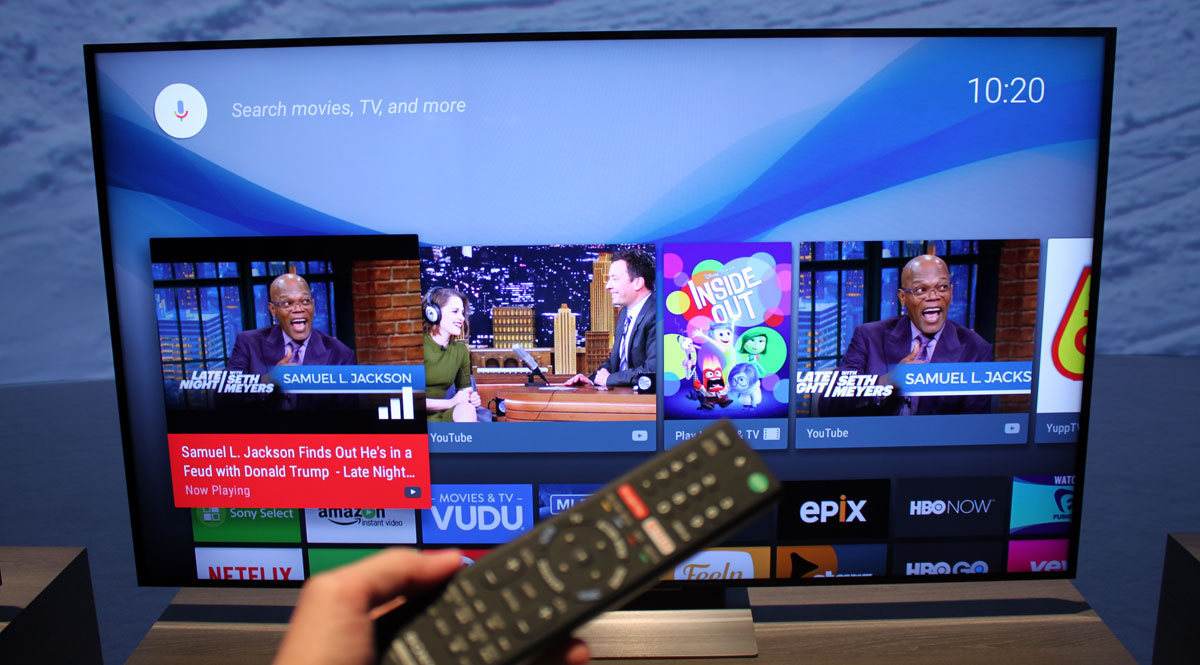
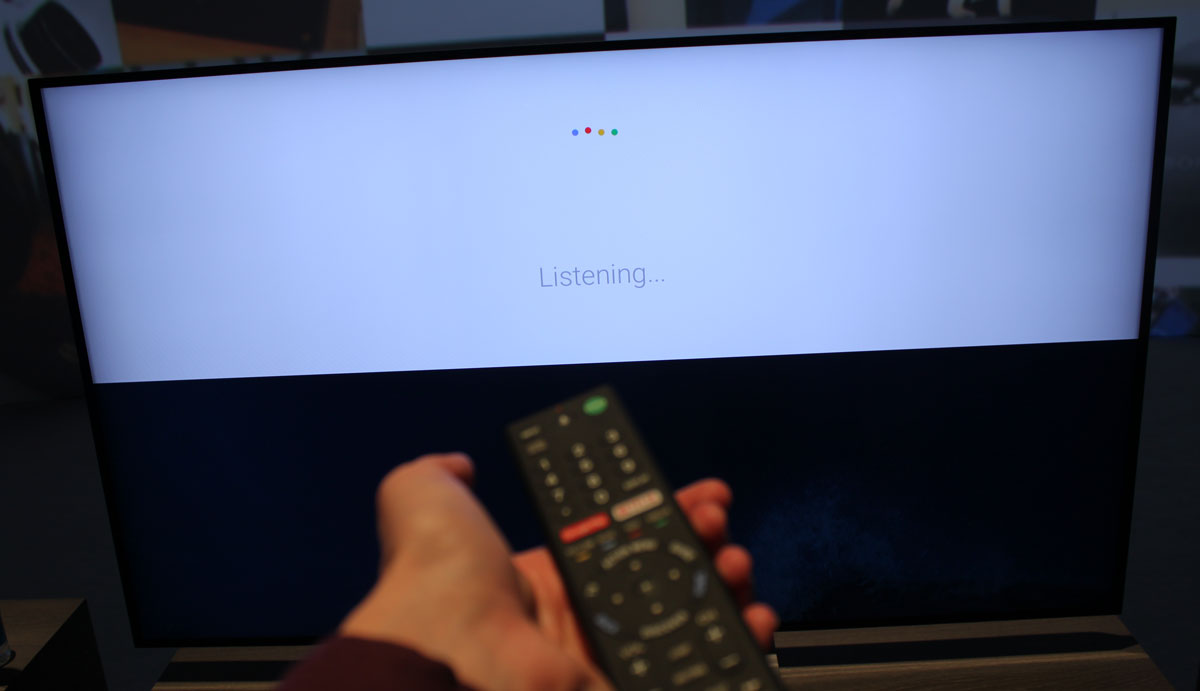
There was no doubt that the 2016 Sony TVs at CES were based on an updated version of Android TV that felt snappier and more reliable than the current 5.1 version. An improved voice search function offered better voice recognition (even in the loud CES halls) and appeared to react much faster. The voice search UI will get a refreshed look. The Google Play store also has a new, fresh look, and Google will furthermore introduce a “Child mode”.

We were informed by sources that the Sony TVs did indeed run a 6.0 preview version of Android TV. We also heard that Google’s main focus with Android TV 6.0 has been to improve stability and performance, to fix security holes, and to fix bugs, instead of adding major new features. 

Remember that manufacturers are not allowed to change the user interface of Android TV.
Sony Android TV 6.0” title=
At CES, Nvidia confirmed that their Shield media player will get an update to 6.0 Marshmallow “very soon”. The company also confirmed a few new features, saying that the update will add “Adoptable Storage, which helps you super-size your storage capabilities. When adding an SD card, USB drive or external hard drive, Shield Android TV can recognize the new storage as internal memory”.

Nvidia added that the update will simplify the startup process so there “are even fewer steps you need to take before launching your favorite apps, movies, music and games”. You can say "OK Google, set up my device" to your phone/tablet and it will automate the process of setting up your new TV. It will even transfer over your WiFi passwords.

It will be possible to take control of the top Recommendations row and select which apps are allowed to push content. The other rows (apps and games) can be re-organized.

Based on what we have heard, we believe that the 6.0 update will start rolling out around March-May, depending on your device.


New apps and games

Apps and games are being added to the Google Play store on Android TV all the time but a few notable additions have just been added or will be added later in 2016.

UltraFlix offers a library of 600 hours of 4K content, although heavily compressed and much of it has been upscaled from HD. Recently, HBO Now, Showtime, and Twitch were added. Two game streaming services, Gamefly and Gametree, will be introduced soon.

In the gaming category Metal Gear Rising: Revengeance will come to Shield.

New Android TV partners

Hisense, TCL, Bang & Olufsen, Vestel, Arcelik (Grundig), and RCA have all signed on as Android TV partners, Google confirmed at CES. Only RCA had a TV on display. 

TCL confirmed to us that it will introduce the first TVs with Android TV this autumn, possibly at IFA 2016 in Berlin. TCL also told us that they are waiting for the 6.0 update. This makes sense as Google has likely agreed to give its early partners at least one year of exclusivity.

Thursday, November 12, 2015

Which voice calling app uses the least data


Free voice call apps, which use data to place calls, can offer a cheaper way to keep in contact with friends abroad and come to the rescue when you’ve used up your monthly minute quota. However, with multi-gigabyte data plans still often coming at a premium price, the busiest chatters out there could soon eat into their monthly allowance using voice over data calls.
To shed some light on the issue, we’ve gone back over our list of 10 free call apps to investigate just how much data these apps end up consuming. In the list you’ll find popular apps such as Hangouts, Skype, WhatApp and Viber, as well as regional favourites including Line and Nimbuzz.

The test method

For our test, we subjected each of these 10 apps to three separate one minute calls and recorded the amount of data used by the app after each call. These three totals were then averaged together to produce the result.
Both sides spoke for 30 seconds each during the one minute call, to simulate a two way conversation. All of the test runs were conducted over a 4G network on both ends, with both phones running the latest versions of each app from the Play Store and the same Android operating system version, just to be extra safe.

The results

We can instantly spot a huge difference between the leanest and the heaviest data consuming applications. Interestingly, many of the most well-known apps, such as Hangouts, Skype and WhatsApp, consume by far the most data, while KakaoTalk, Nimbuzz and Line all consume comparatively smaller amounts of data. Facebook Messenger also makes a bit of a surprise appearance as one of the most data efficient ways of placing a voice call.
voice data app usage per min 710
Perhaps a little worryingly for Skype users, the app consumes over 2.7 times the amount of data per minute than the most economical apps. WhatsApp consumers 2.3 times the data of KakaoTalk, while Hangounts and Tango consume around twice the data each minute. Over the course of an hour’s worth of calls, the difference between Skype and KakaoTalk works out to around 33.4MB, which might be a point worth considering if you’re on a more limited data plan and like to talk.
Skype consumes over 2.7 times the amount of data per minute than the most economical apps
Magic Jack and Viber both consume a little more data than others, but are still much economical choices than the more established apps. These may be the best choice if you’re looking for a balance between call quality and data usage.
To be fair to the big brands, we do know that Skype implements a rather intelligent codec that is capable of various sample and bit rates. We went back to see if switching down to a 3G network, with more limited bandwidth, would make any difference to the data consumed, but the results came back well within the margin for error. We can conclude that a 3G connection is more than good enough for the best voice call quality that Skype and the other apps have to offer on Android, so you’ll probably always find that these apps consume around this amount of data, regardless of a 3G, 4G or WiFi connection type.
While the big companies may be able to spend some cash on extra bandwidth and servers, Kakao, Nimbuzz and Line most likely make use of a lower quality communication to save on expensive server bandwidth, which has the added benefit of saving us data usage too.
Of course, data usage is just a small aspect of a voice call app. If you would like a closer look at the features available with these apps, be sure to check out our list of to 10 free voice call apps.